
300+ Satisfied Clients In 5+ Countries
SALONS:
Lost Leads + Missed Calls Are Costing You
We install a 3-Stage Front Desk System That Handles Calls, Website Enquiries, Bookings, Follow-ups, and Reviews
Watch the 3 minute demo below of Stage 1 - Automated Call Handling
When The Salon Is Busy, Enquiries Don't Wait.

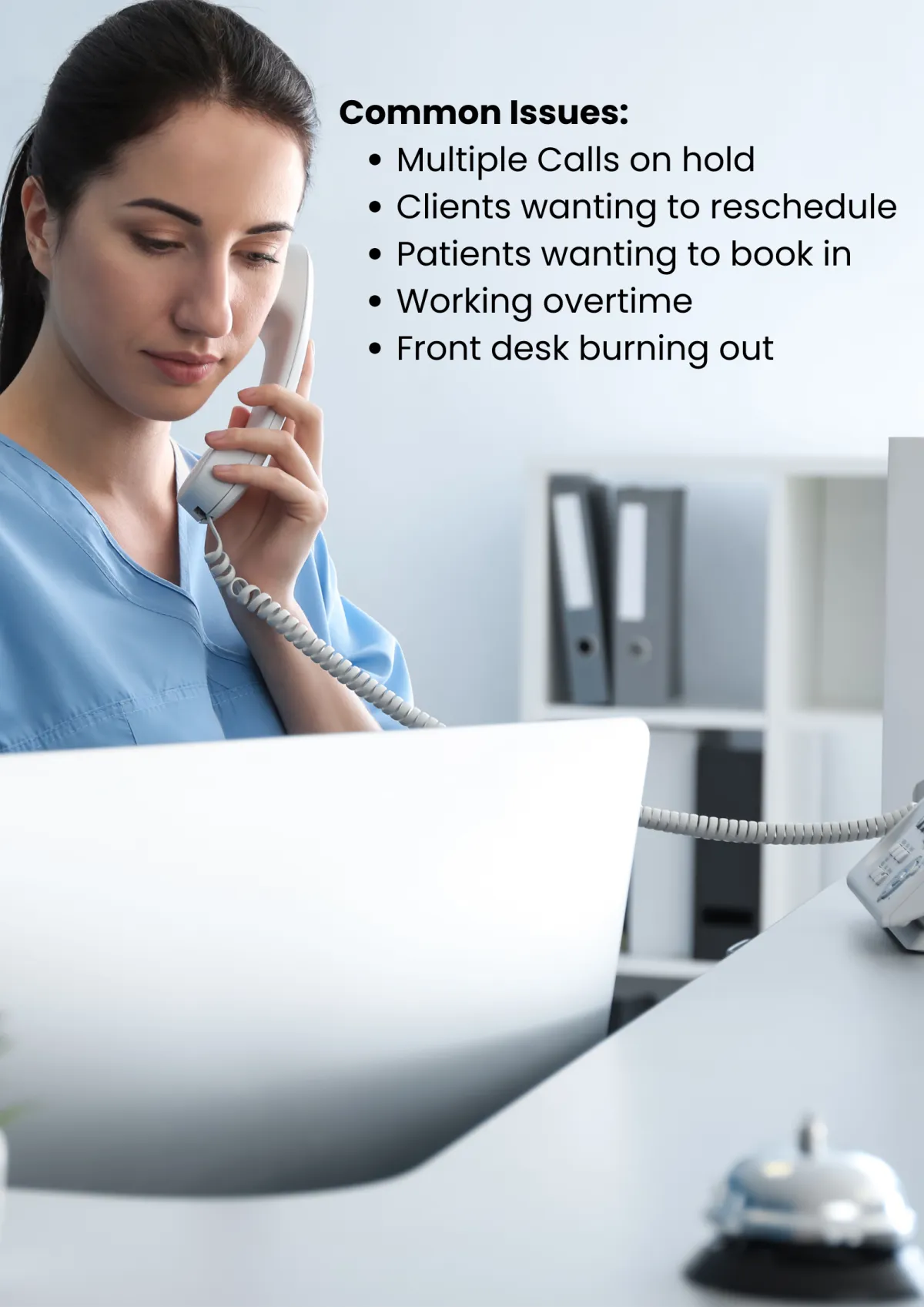
It Usually Looks Like This:
Leads move onto the next business because you are not responding quick enough
Staff with clients and can’t pick up new calls and answer enquiries
Website landing page and homepage are not converting properly
Phones ringing unanswered therefore leaving money on the table
After-hours enquiries going to voicemail
Messages taken, but not followed up properly
Existing clients are not being nurtured correctly and therefore are missing repeat business
Good automations are not in place to ensure enquiries are always handled
Clients are always nurtured, and time is freed up
The salon is working hard. The system just isn’t built for volume.
THE SIMPLE FIX
Your 3-Stage Front Desk System
We don’t just provide an “AI receptionist”.
We build Front Desk systems for salons — designed to capture, handle, and manage enquiries without interrupting staff or slowing down the floor.
This works across phone calls, website enquiries, chat, and SMS.
Stage 1 — Capture
Call enquiry details are captured automatically.
Every missed or after-hours call is answered.
Stage 2 — Handle
Bookings, reschedules, and common questions are handled without staff involvement.
Google Review prompter installation to encourage new business
AI Website Chat widget + Optional AI SMS handling
Stage 3 — Qualify
Low-fit enquiries are filtered before they reach your team.
Website Landing page build and assessment to qualify leads
High-value enquiries are prioritised.
Not every salon needs all three steps on day one.
You save on resources
Save $$ without hiring more receptionists
Make more $$ because you are able to handle more enquiries and take in more patients
How This Works in a Salon Environment
Calls answered while stylists stay focused
Bookings added directly to your calendar
Clients receive confirmations and follow-ups automatically
Front desk interruptions are reduced
Enquiries are logged and easy to manage
No new staff.
No extra admin.
Who This Is For
This setup is used by salons that:
handle regular inbound enquiries
struggle during peak hours
want fewer interruptions on the floor
want bookings handled properly without adding staff
Case Study A real-world example of how intake handling works in a salon environment.
The Situation
A mid-sized salon was handling a steady flow of inbound calls for bookings, pricing, and availability.
During peak hours:
Stylists were with clients
Front desk staff were juggling calls and walk-ins
After-hours calls went to voicemail
Enquiries were being missed — not because the salon didn’t care, but because there was no capacity to handle them all in real time.
The problem
Missed calls during busy periods
Stylists interrupted to answer phones
Inconsistent follow-up
Lost bookings after hours
Hiring another staff member wasn’t viable — and outsourcing call handling felt impersonal and expensive.
The Solution
The salon activated a 2-stage intake handling setup:
Calls answered automatically when staff were busy or unavailable
Bookings added directly to the calendar
Common questions handled without staff involvement
Enquiries logged centrally for easy follow-up
No changes to how the salon operated day-to-day.
No new staff.
No additional admin.

The Outcome
Fewer missed enquiries
Reduced interruptions on the floor
Bookings handled consistently, even after hours
Staff able to focus on clients instead of phones
The salon didn’t need more people — it needed a better way to handle inbound demand.
Clinic feedback
“The phones stopped feeling like a fire alarm.
Patients were being answered even when we were busy, and reception could actually focus on the clinic.”
Important clarification
We did not replace the clinic’s existing booking system
We did not remove human reception
The system handled overflow, after-hours, and first-touch enquiries
Staff remained in control at all times
Trained on your chosen voice and accent relevant to your country
What’s the Real Cost of Handling Enquiries?
Here’s how different options compare for a typical salon.
Schedule A Time To Speak To Us Below For Your FREE Demo
See What We Build and manage

1. Automated call receptionists & website chat
We deploy AI voice and chat tools that support your clinic when they’re busy.
They:
Answer common questions
Book appointments
Reschedule appointments
Capture details when calls are otherwise missed or put on hold
Route enquiries correctly
Hand off to humans when needed
This supports reception, it doesn’t replace it.

2. Salon website pages built for enquiries
We build and manage website and landing pages that do more than look good.
Each page includes:
Clear service explanations
Built-in assessments or quizzes to qualify visitors
guide patients to the correct next step
These pages actively filter and qualify enquiries instead of sending everyone straight to your inbox.

3. Automated lead nurturing & client communication
Every enquiry is handled automatically once it enters the system.
This includes:
Email and SMS follow-ups
Reminder sequences
Nurture messages for people not ready to book
No-show reduction
So prospects are followed up properly without staff chasing or remembering to send emails.

4. Automated online reputation & referral management
We install systems that consistently grow trust and referrals.
This includes:
Automated Google review requests
Smart timing based on real interactions
Referral prompts sent at the right moment
So reputation and referrals grow without staff needing to ask.

5. Additional Demand control through paid ads + content
When you want more clients, we drive traffic into the same intake system using:
Google Ads
LinkedIn Ads
Meta & YouTube Ads
Crucially, demand is paced and filtered — not flooded — so your team isn’t overwhelmed.
We work with you on Ad creatives as well as implementation and Ad optimisation.

6. Local SEO & Answer Engine Optimisation (AEO)
We manage your local visibility so enquiries come in organically as well.
This includes:
Google Business Profile optimisation
Local search optimisation
Content structured for AI and answer engines
This creates baseline demand without relying only on ads.
"Our first weekend & our automated receptionist booked 21 appointments we'd probably have missed"
Big Smiles Clinic
✅ 24/7, ✅ Sounds human, ✅ No new system to learn
300+
Clients Trust Us
Frequently Asked Questions
Still Have a
Question?
If you have any further questions or need assistance, our team is ready to help.
What exactly is included in this system?
This is a complete enquiry handling system, not a single tool.
Depending on your plan, it can include:
Call handling when your team is busy or unavailable
Appointment or booking management
Website chat and SMS enquiry handling
Central inbox for all enquiries
Automated follow-ups and confirmations
Review request automation
Enquiry routing and prioritisation
Integrations with calendars and existing systems
Everything is designed to work together, so enquiries are captured, handled, followed up, and tracked in one place.
Is this just an AI receptionist with extra features?
No — and this is the key difference.
AI receptionist tools typically:
answer calls
take messages or basic bookings
stop there
This system manages the entire enquiry journey, not just the first interaction.
The value comes from:
what happens after the enquiry
how follow-ups are handled
how visibility is maintained
how demand is managed as volume grows
That’s why it’s sold as a system, not a per-minute tool.
What problems does this actually solve?
Most businesses don’t struggle because they lack tools — they struggle because enquiries are:
missed
handled inconsistently
forgotten
spread across multiple channels
dependent on staff availability
This system solves that by:
centralising all enquiries
automating follow-ups
reducing manual handling
creating consistency, even when you’re busy
We already use multiple tools — why would we switch?
Many businesses already use:
an answering service
online booking software
reminder tools
review tools
shared inboxes
The problem isn’t the tools — it’s that they don’t talk to each other.
This system replaces or connects those tools into one workflow, reducing admin and preventing things from falling through the cracks.
How is this different from cheaper AI or SaaS tools?
Lower-cost tools usually:
do one thing well
require setup, management, and troubleshooting
leave the rest to you
This is a managed system, meaning:
it’s configured for your business
it’s monitored and refined
it works across multiple channels
it doesn’t rely on you to maintain it
You’re paying for outcomes and reliability, not just software access.
How does pricing work?
Pricing is based on:
how much of the system you activate
how much handling and automation you need
the level of complexity in your workflows
For most businesses, this costs significantly less than:
- hiring additional staff
- outsourcing enquiry handling
- paying for multiple disconnected tools
All pricing is shown clearly before activation.
Are there contracts or long-term commitments?
No.
All plans are:
month-to-month
no lock-in contracts
You can upgrade, downgrade, or cancel as your needs change.
How long does setup take?
Most setups are live within:
7–14 days for standard systems
21–45 days for more advanced configurations
Timing depends on access to calendars, phone routing, and existing systems.
Will this work with our existing software?
In most cases, yes.
The system can integrate with:
calendars
booking tools
CRMs
practice or workflow software (where supported)
If something can’t be integrated directly, we design around it.
Do we need to manage this day to day?
No.
The system runs in the background.
You’ll have visibility over enquiries and outcomes, but there’s no requirement to manage workflows or automation daily.
What happens if enquiry volume increases?
The system is designed to scale.
As demand grows, you can:
increase capacity
activate additional features
move to a higher tier
There’s no disruption to service.
Is this suitable for small businesses or only large ones?
Both.
Smaller businesses often start with basic handling and automation.
Larger or busier businesses activate more advanced routing and qualification.
The system grows with you.
How do we know if this is the right setup for us?
The fastest way is to:
see how enquiries would be handled using the system
get a recommendation based on your business
That’s why we start with a short fit check before activation.
What’s the best way to get started?
You can:
See how your enquiries are handled (short quiz)
Book a walkthrough to discuss your setup
If you already know what you want, you can activate your system instantly.
Is this difficult to set up or manage?
No. The system is set up once, refined as needed, and then runs quietly in the background. There’s no daily management required.
What happens if the call answering system goes down?
Systems don’t call in sick, take breaks, or forget to follow processes. In the rare event of an outage, calls can revert to your existing setup.
Is this just another AI trend?
This isn’t about trends or hype. It solves a simple, long-standing problem: missed calls, inconsistent intake and lead filtering.
When is the best time to implement this?
The sooner it’s in place, the sooner missed opportunities stop slipping through the cracks. Missed enquiries don’t wait for a “better time.”
© Copyright 2026. Website By Squarebox Flow. All rights reserved.